
On Wednesday 19th February 2025 during the 1st lesson, Year 11 students are requested to come to the school hall to complete the Blockcerts installation and add MEYR as an issuer. Students will be allowed to bring their mobile phone to the hall, which must be returned to reception at the end of the process. It is important that you have access (you know the password) to the email address that you provided the school with (Gmail, outlook etc.)
If you still have not installed Blockcerts on your mobile phone, please follow the video below should you have any issues.
Watch the video:
Note: Make video full screen.
You can also download the video as a PDF document – follow the steps.
The links to download Blockcerts are as follows:
Android: https://play.google.com/store/apps/details?id=com.learningmachine.android.app&hl=en
Apple Store: https://apps.apple.com/us/app/blockcerts-wallet/id1146921514
If you have any issues with the App or if you have not yet received the invitation to add MEDE as an issuer you can contact:
certificates.meyr@gov.mt
Once you install Blockcerts you will receive an email on the non-ilearn email address that you provided to the school. In this email you will find a one-time use button like the one below:

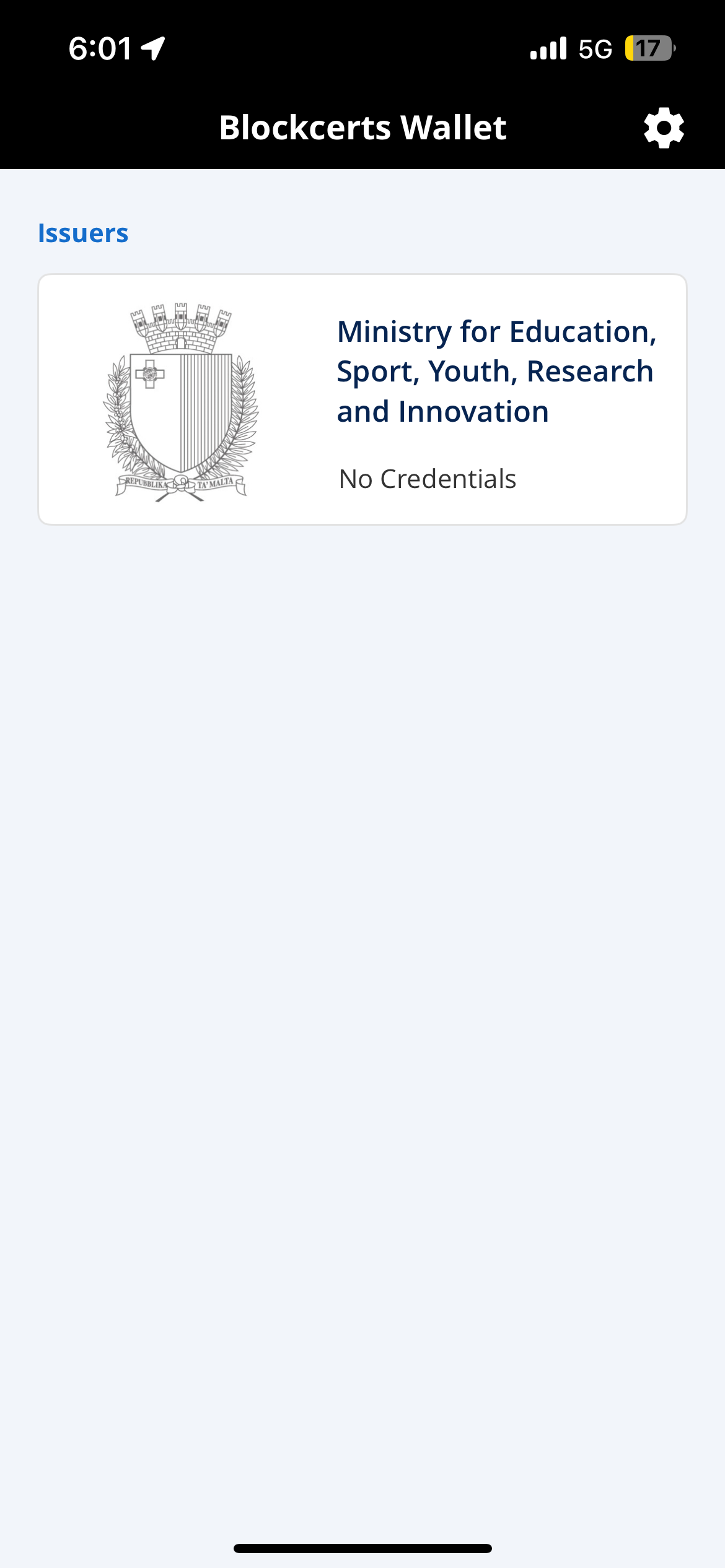
When you click on this button in your email, you will add MEYR as the issuer in your Blockcerts account, and it should finally look like this:
We hope that you manage to install Blockcerts and that this video will actually be of assistance.


